Vovious Review 2026: Better Than Melodyne?
Tested on real sessions alongside Melodyne, RePitch 2 and VariAudio. Here is what actually happened.
Melodyne has been the industry standard for vocal pitch correction for so long that the question "what are you using for tuning?" has basically had one answer for years. Then Vovious arrived in December 2025 — and after running it against Melodyne, RePitch 2 and VariAudio on real sessions, I kept reaching for it more often than I expected. Not because it replaces everything, but because day to day it feels faster, cleaner and less tiring to work in — and it costs $470 less than Melodyne Studio.
This is a real test, not a sponsored post. I cover the technology, sound quality, direct comparisons, host-specific caveats and who should actually buy it. (And yes — it is Vovious, often misspelled as "Vicious" or "Vovius". Same plugin.)
Quick Comparison
| Plugin | Price | Algorithm | Best For |
|---|---|---|---|
| Vovious | $229 | Neural network + FFT | Vocals, rap, pop — monophonic sources |
| Melodyne Studio | $699 | DNA (proprietary) | Vocals + polyphonic material |
| RePitch 2 | $149 | Spectral | Quick pitch edits, basic workflow |
| VariAudio (Cubase) | Included | Proprietary | Built-in option for Cubase users |
How Vovious Actually Works — The Technical Part
Most pitch correction plugins work in the time domain — they slice the audio into small segments and shift each segment to the target pitch. This works, but it introduces phase shifts and harmonic artifacts, which is why aggressive corrections sound unnatural.
According to Vovious, the plugin uses a different approach from standard pitch tools: FFT-based analysis (frequency domain) combined with a neural network for pitch detection. The model aims to identify the stable tonal center of a note rather than chase every micro-fluctuation. In practice, that mattered more than the marketing language: aggressive corrections stayed natural-sounding in a way that RePitch 2 at the same settings did not.
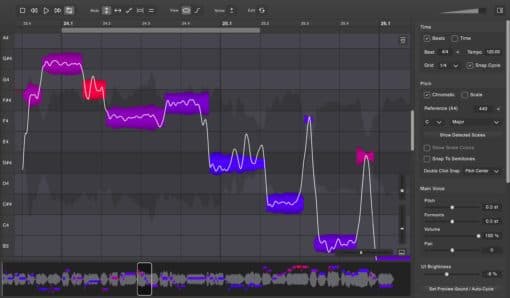
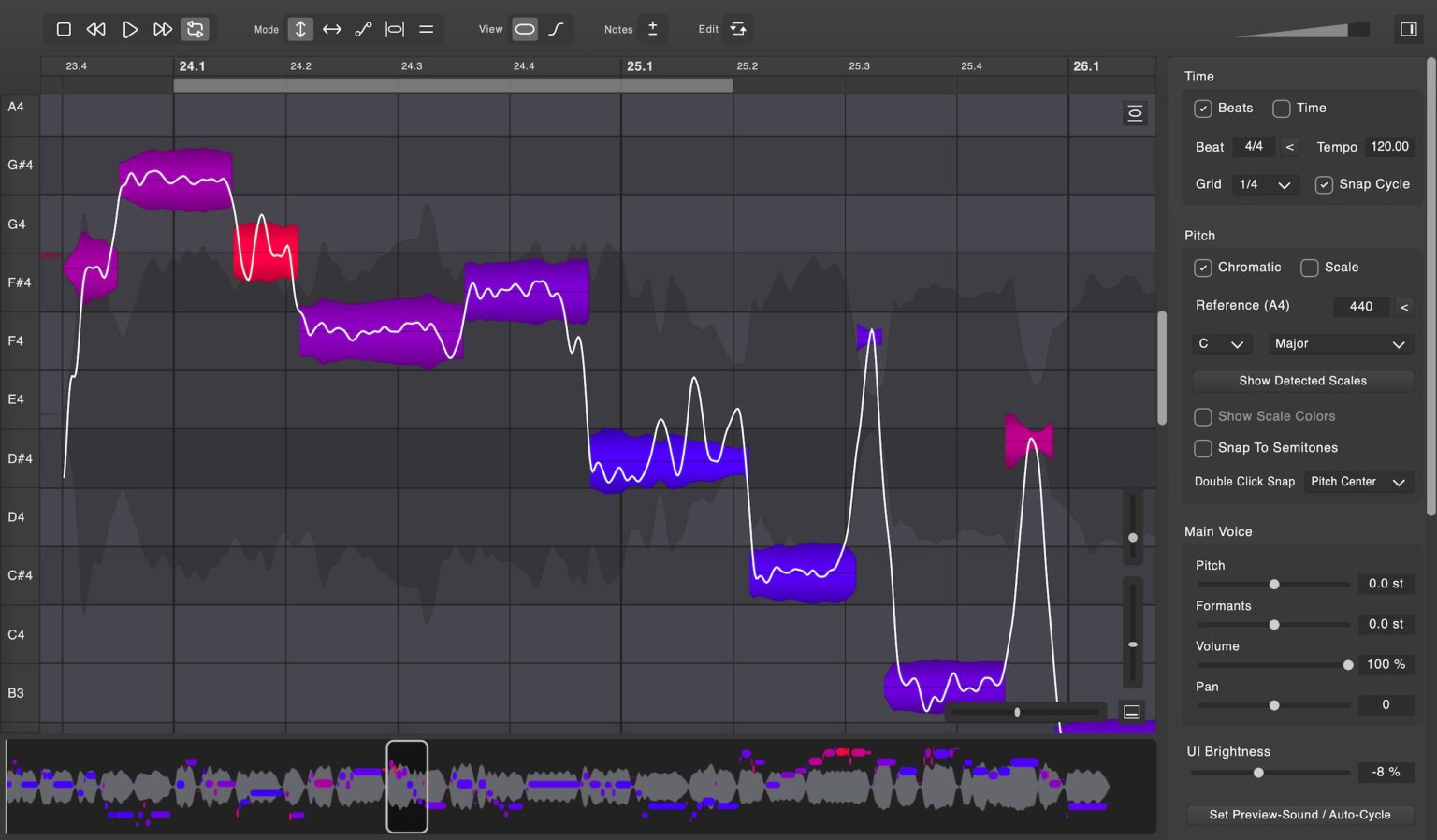
The color-coded visualization is where the workflow advantage becomes obvious: the display continuously updates pitch confidence in real time, and the color (blue = in tune, purple = close, red = needs attention) reflects that score. It is not cosmetic — after a few sessions you read it at a glance, faster than scanning Melodyne's blob view note by note.
One practical caveat: because the model looks for tonal stability, it treats sibilants and unvoiced regions differently from some competitors. In practice I did not hear destructive artifacts on clean files, but this is clearly a plugin that prefers dry, sensible input. If a singer has aggressive esses, do a dedicated sibilance test before committing to it across a whole session.
Sound Quality: Real Session Test
I ran the comparison across several vocal styles — blues-rock with wide dynamics and intentional slides, pop with controlled delivery, rap with fast syllable density, R&B background stacks, and acoustic material where artifacts would be immediately audible. No de-essing before the test. Neutral compressor, no saturation. Same correction settings applied across all four plugins on each pass.
Vovious: Corrections were transparent. The character of the performance came through unchanged. Even on notes that needed more than a semitone of correction, the timbre stayed consistent. No chipmunk effect, no smearing on the attack.
Melodyne Studio: The gold standard — and it sounds like it. Rich detail, extremely musical handling of slides and bends. On pure sound quality at careful manual settings, it is still the benchmark.
RePitch 2: Noticeably thinner in the high frequencies on the same material. Not broken — usable — but the difference was audible on a pair of decent monitors.
VariAudio: Solid for a built-in tool. Less natural than Vovious or Melodyne on aggressive corrections, but for clean material in a fast workflow it holds up well.
Overall ranking on sound quality alone, for monophonic vocal material: Melodyne Studio = Vovious > VariAudio > RePitch 2.
Where Vovious Is Genuinely Better
Color-coded pitch visualization
Blue means in tune. Purple means close. Red means needs attention. Scanning a full vocal take and immediately seeing which notes need work is dramatically faster than Melodyne's interface where you assess each note individually.
Note preview mode
A headphone icon lets you hear a single note in isolation without soloing the track. On fast passages this is essential — you can hear exactly what you are about to correct before touching it.
Built-in sibilance editing
Sibilant regions are automatically detected and marked. You can reduce their amplitude independently without affecting the rest of the note — more surgical than a full-track de-esser.
Speed
Between the color coding and streamlined controls, tuning a typical vocal takes noticeably less time than in Melodyne — informally, somewhere in the range of 60–70% on sessions with similar correction density. After a week of daily use, I was reaching for it first without thinking about it.
Pricing — one tier, everything included
$229 flat. No Essential vs Assistant vs Studio tiers. No upsells. Everything Vovious can do is in the one version you buy.
What Other Engineers Are Saying
Before settling on a verdict I spent a couple of evenings reading the long Vovious threads on Gearspace, VI-Control, KVR and Reddit — partly to sanity-check my own impressions, partly because a pitch editor from an unknown developer does not normally generate this much discussion in every DAW community within weeks of launch. A few things kept repeating.
The formant argument is what converts people
The recurring Melodyne complaint in composer forums is that it drags formants along with pitch, and correcting the formant after correcting the pitch is a chore. RePitch keeps formants natural but loses on interface and scale support. Vovious is the first editor people consistently describe as getting both right at once — which matches exactly what I heard in my own sessions.
Formant shifting clean enough for harmonies
Gearspace users report the global formant shift stays smooth even on hard, glissy notes — several are building convincing harmony stacks from a single take, including full male-to-female flips, and describe Melodyne's formant shifting as gritty by comparison. I would not push it that far on a lead vocal, but for background stacks it genuinely holds up.
The honest wishlist
The two most requested features across every thread: a per-note reset back to the original scan, and a proper bypass or 'show original pitch' view so you can toggle against the untouched take while editing. I hit the same wall. The workaround for now is duplicating the track before you start — thirty seconds that will save you real frustration.
A time-stretch trick worth stealing
The Gearspace consensus on the time tools: keep stretches small and stay in the lower half of the range, and the edits stay clean — several users also find the time grid easier to read than RePitch's. Nobody claims it beats dedicated elastic-audio engines on big stretches, and neither will I.
Sound On Sound agrees on the basics
The Sound On Sound review lands on the same points as the forums: Vovious is not a real-time auto-tuner but a graphical editor, it runs standalone, as a regular VST3/AU/AAX plugin or as ARA2, and the reviewer called the whole experience very smooth in Cubase. When a print magazine and half a dozen forums independently say the same thing, it is usually true.
A fair pricing counterpoint
VI-Control users make a fair point: feature-for-feature, Vovious competes with Melodyne Assistant, which lists at a similar $249 — not with the $699 Studio version, which adds polyphonic editing. True. But Assistant does not have the color view, the note preview or the sibilance tools, and those are exactly the features that make Vovious fast. Compare workflows, not just price tags.
The most balanced summary I found
Side-by-side comparisons keep landing the same way: Vovious retains the feeling of a person singing, while heavily edited Melodyne takes drift toward the recognizable 'Melodyne sound'. The seasoned KVR crowd adds the right caveat — it is a young product, so run the full 30-day trial in your own DAW before paying, especially if that DAW is Logic.
Vovious vs RePitch 2
RePitch 2 by Synchro Arts is the other contender in the "fast pitch correction" category. It is worth addressing directly because a lot of people considering Vovious are also looking at RePitch 2.
Sound: In side-by-side testing on the same blues-rock vocal, RePitch 2 was noticeably thinner in the high frequencies. On clean, well-recorded vocals the gap is smaller. On expressive or aggressive material it becomes more obvious.
Workflow: RePitch 2 can be fast once you learn it, but in my sessions it felt less settled and less immediate than Vovious. That matches the broader pattern I keep seeing from working users: the attraction of Vovious is not only the sound, it is that the whole editing flow feels smoother.
Verdict on the comparison: If the choice is between these two at similar price points, Vovious is the safer buy for me. RePitch 2 is fast, but Vovious sounded better in my sessions and inspired more confidence in day-to-day use.
These two are not the only way out of Melodyne, of course. AutoTune Pro's Graph Mode, Waves Tune and your DAW's own editor all cover parts of the same job — I put the whole field side by side in the best Melodyne alternatives compared.
Should Cubase Users Switch from VariAudio?
VariAudio is built into Cubase and it is good enough that many producers never look further. So is Vovious worth the $229 on top of a DAW you already paid for?
The honest answer: it depends on how much vocal editing you do. For one or two tracks per project on relatively clean recordings — VariAudio will serve you fine. For sessions with complex vocal performances, multiple takes, or expressive material with slides and wide pitch variation — Vovious is meaningfully better. The color-coded visualization alone saves significant time on dense edits, and the note preview mode eliminates a lot of the guesswork that VariAudio forces you into.
If you are doing professional mixing work regularly, Vovious pays for itself in time saved within a few sessions.
Where Melodyne Still Has the Edge
Polyphonic material. Melodyne Studio can edit individual notes within chords — piano, guitar, stacked harmonics. Vovious is designed for monophonic sources only. This is a hard limitation, not a roadmap item.
Track record. Melodyne has been in professional use since 2001. Vovious launched in December 2025. The quality is clearly there, but long-term stability and edge case behavior are still being discovered.
DAW ecosystem integration. Melodyne is bundled with many DAWs and deeply integrated into professional workflows that have been built around it for years. If your session templates, shortcuts, and muscle memory are Melodyne-based, the real switching cost is significant.
Known Limitations and Bugs
A review that only lists strengths is an ad. Here is the honest picture:
- → Monophonic only. No polyphonic editing. If you need to tune chords or instrument harmonics, Vovious cannot help you.
- → Enharmonic note display. The plugin uses sharps where the key calls for flats — the first real friction I hit personally. Working in a flat key, every note showed as its enharmonic sharp equivalent throughout the session. You adapt, but it breaks the mental mapping between the score and the editor. Minor for experienced editors, genuinely disorienting for anyone thinking in scale degrees.
- → Host behavior still matters. Vovious has a deep undo/redo history and per-track edit history, but DAW integration is not identical everywhere. Test it in your exact host before a deadline session.
- → ARA / Logic caveat. Works well in Cubase, Studio One and Reaper. Logic is the DAW where I would verify version compatibility first; Vovious has continued shipping Logic-specific ARA fixes through 2026, which is encouraging, but it also tells you this is still an area to test.
- → No Linux version. Windows and Mac only.
- → Young product. December 2025 is still a recent launch by pitch-editor standards. The good news is that updates have been arriving steadily; the realistic takeaway is that you should still budget a little time for host-specific troubleshooting.
Tips for Getting the Best Results
- → Feed it clean, dry recordings. Tune first, then add reverb and delay. If possible, keep Vovious first in the chain — it reads pitch more confidently when it is not fighting other processing.
- → Do not use auto correction at 100%. It corrects intentional slides and bends too. Start at 20% to catch clear problems, then handle the rest manually.
- → Set your key and scale. Once set, Vovious highlights out-of-key notes differently — makes it much easier to distinguish wrong notes from intentional passing tones.
- → Use a MIDI reference when you actually have one. If the melody already exists in MIDI, dragging it in is faster than arguing with the pitch editor note by note.
- → Use Temporary Note mode for micro edits. If the start of a note is flat but the rest is fine, Temporary Note lets you correct just that section without redrawing the whole note.
- → Test on sibilant material specifically. If a vocalist has prominent esses, do one dedicated pass before you commit. In some chains a de-esser before Vovious helps; in others it is better after. The important part is not to assume — check.
- → Try the harmony trick. Duplicate a tuned lead, move the copy to the harmony note and push the formant shift a little. Gearspace users build whole background stacks this way from a single take — and after trying it, I get why. Keep it for stacks, not for the lead.
- → Use the standalone app for quick jobs. A client sent one flat phrase? You do not have to open the whole session. Drop the file into the standalone version, fix it, bounce it back — two minutes, no DAW.
Who Should NOT Buy Vovious
- → You work with polyphonic material regularly. Piano chords, guitar harmony, stacked vocal harmonics — Melodyne Studio is the only serious tool for this work.
- → You are deep in the Melodyne ecosystem. Templates, shortcuts, muscle memory built around Melodyne — the switching cost is real and probably not worth it unless you have a specific reason to move.
- → You are on Logic Pro and need ARA2 reliability. Test it thoroughly first.
- → You need a battle-tested tool for urgent sessions. Vovious is excellent but it is six months old. Melodyne has been stress-tested in professional studios for over two decades.
Final Verdict
For monophonic vocal work — singing, rap, spoken word — Vovious gets close enough to Melodyne on sound quality that workflow starts to matter more. And on workflow, Vovious is genuinely excellent. The color visualization, note preview and sibilance tools are not gimmicks; they save time.
If you work with polyphonic material, or your whole workflow is built around Melodyne, stay where you are. If you are comparing Vovious to RePitch 2 specifically, Vovious feels like the more mature and more trustworthy daily tool right now.
The 30-day free trial requires no credit card. Run it on a real session alongside whatever you are currently using and let your ears decide.
Sound Quality
9/10
Workflow Speed
9/10
vs RePitch 2
Wins
Polyphonic Material
2/10
Strengths
Color visualization · Note preview · Sibilance editing · FFT algorithm · Speed · Single-tier pricing
Limitations
Monophonic only · Enharmonic display · Host-specific testing still needed · Logic version checks · Young product
Not sure what your track needs?
Send it and hear a free 60-second preview — an honest assessment and an exact price, no commitment.
Get a Free Preview →Want your track to sound like this?
Send it in and get a free preview — hear the difference on your own song before you pay anything.
Get a free preview →