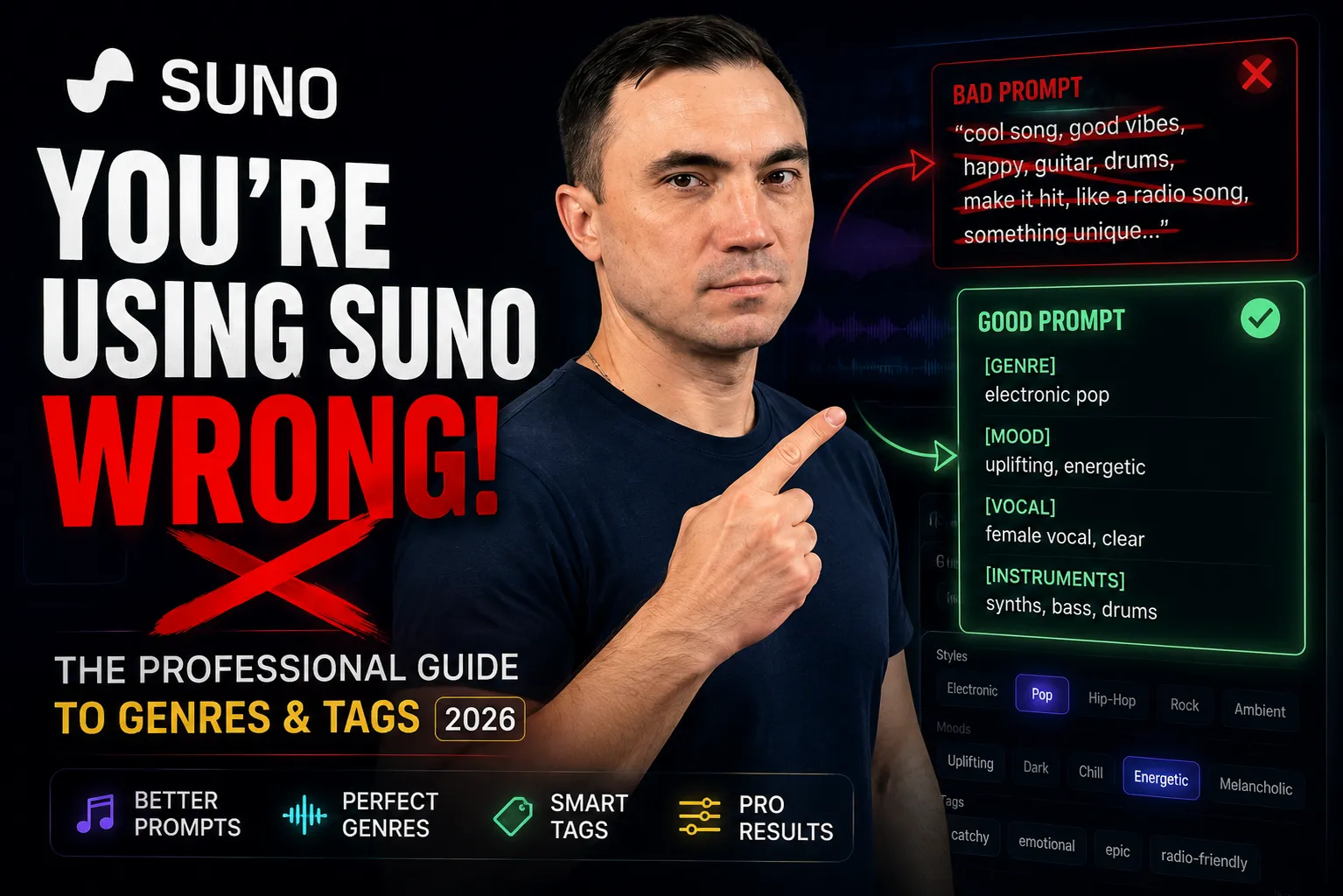
Suno AI: Complete Guide for Musicians — Genres, Tags & Prompts 2026
If your workflow is still 'open Suno, type something, hit Generate, hope' — you are gambling, not producing. This guide turns that chaos into a workflow.
Who this guide is for
Musicians, producers, and curious creators who want predictable results instead of random noise. The goal is simple: stop gambling and start building tracks on purpose.
Contents
- 1.Before We Start
- 2.Think of Suno as a Studio
- 3.The Interface — Three Workspaces
- 4.Simple vs Custom Mode
- 5.Writing a Prompt Suno Understands
- 6.Brackets Are Everything
- 7.Song Structure
- 8.The Sweet Spot — Settings
- 9.Stop Pressing Generate
- 10.Extend, Cover & Upload
- 11.Personas
- 12.Suno Is a Demo Machine
- 13.What's New in v5.5
- 14.Field Notes from the Community
- 15.Pre-Generation Checklist
- 16.FAQ: Instrumental & No Vocals
The Core Idea
Suno is not a hit generator.
Suno is an idea development tool.
Once that clicks, almost every good workflow decision in Suno starts making sense.
Before We Start
If your current workflow is: open Suno → type something → hit Generate → hope for the best — you are not really using the tool yet. You are playing a slot machine with audio. It pays out just often enough to keep you clicking without actually improving.
Suno does not make music for you. It amplifies what you already bring to the table — ideas, taste, and direction. The better your decisions, the better the output.
This guide is here to make that process more deliberate: interface, logic, settings, workflow, and the habits that separate usable material from random noise.
Made a track in Suno? I'll finish it to release quality — from $39.
Think of Suno as a Studio, Not a Magic Box
Here is what nobody tells you when you first open Suno: it looks complicated, but it is still just a workspace. The same way a DAW looked intimidating on day one, Suno only feels chaotic until you understand its logic.
It is a digital environment. You are still in control. It only stops feeling that way once you stop treating the first result like a final answer.
The biggest beginner mistake is trying to skip the learning curve: massive prompt on day one, maximum settings, and the expectation of a release-ready track. That is like sitting at a grand piano for the first time and opening with Rachmaninoff. You get noise — sometimes impressive noise, but still noise.
Like any serious tool, Suno gets useful once you understand how it thinks, what it reacts to, and where its limits actually are.
Start with the basics. Understand the tool. Then go deep. The shortcut is always longer than the actual path — especially with creative software.
The Interface — Your Three Workspaces
Suno has three work areas worth learning first. Once these are clear, the whole interface stops feeling slippery.
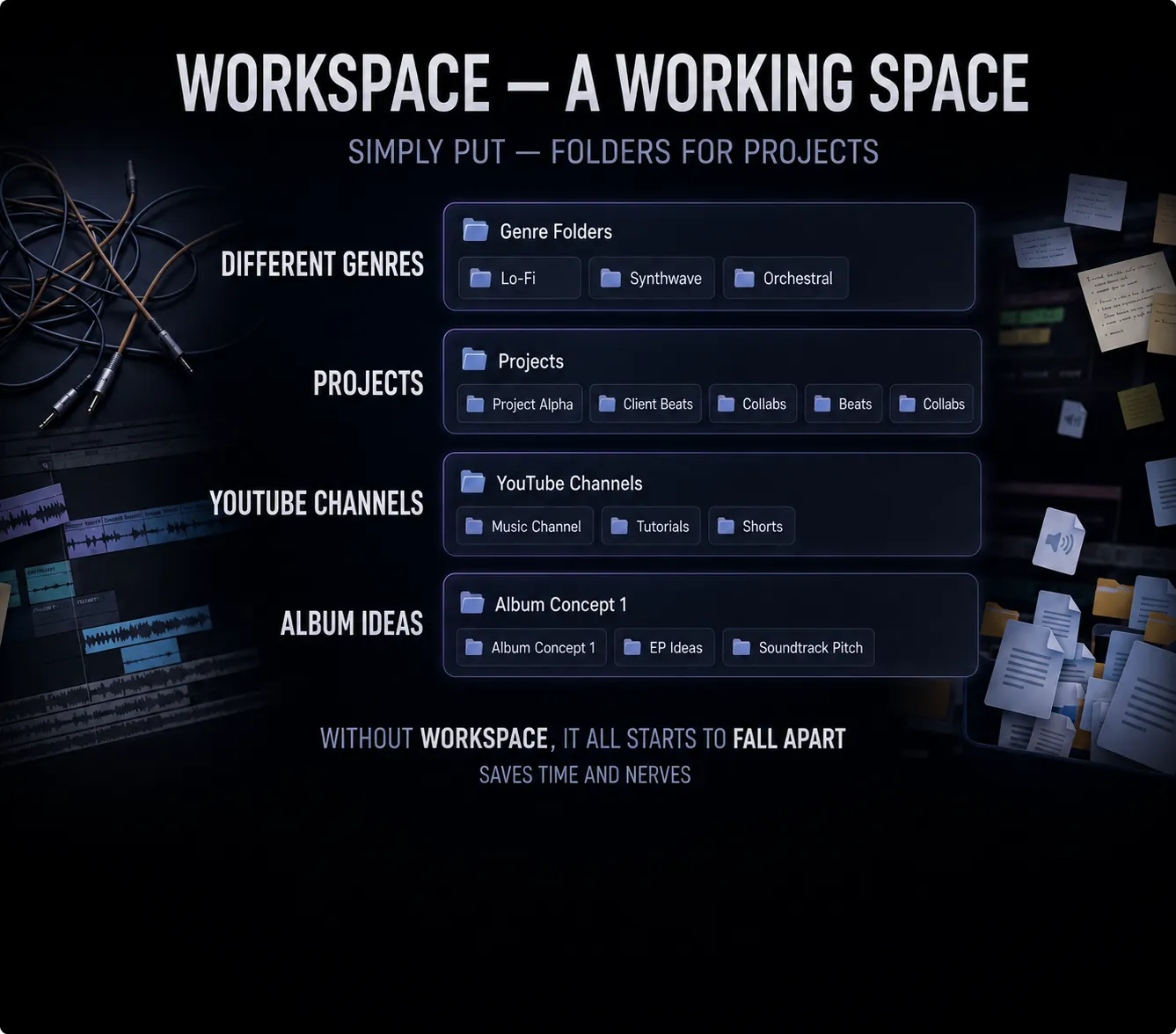
Create — Your Main Stage
This is where tracks are born — ideas, demos, experiments. Everything starts here. Think of it as the recording booth. You do not need it to be perfect when you walk in. You just need a direction.
Library — Your Personal Archive
Every track you have ever generated lives here. You can like, dislike, and build playlists. Here is the crucial thing many people miss: these are not social likes. Nobody sees them but you. They are a filtering system — and a very important one.
👍 Like → track stays visible and easy to find
👎 Dislike → track hides (but does not delete — still there if you need it)
Use this ruthlessly. Your Library will fill up fast. A good filtering habit now saves hours of scrolling later. Think of it like keeping your Downloads folder clean — the kind of thing you ignore until it becomes a catastrophe.
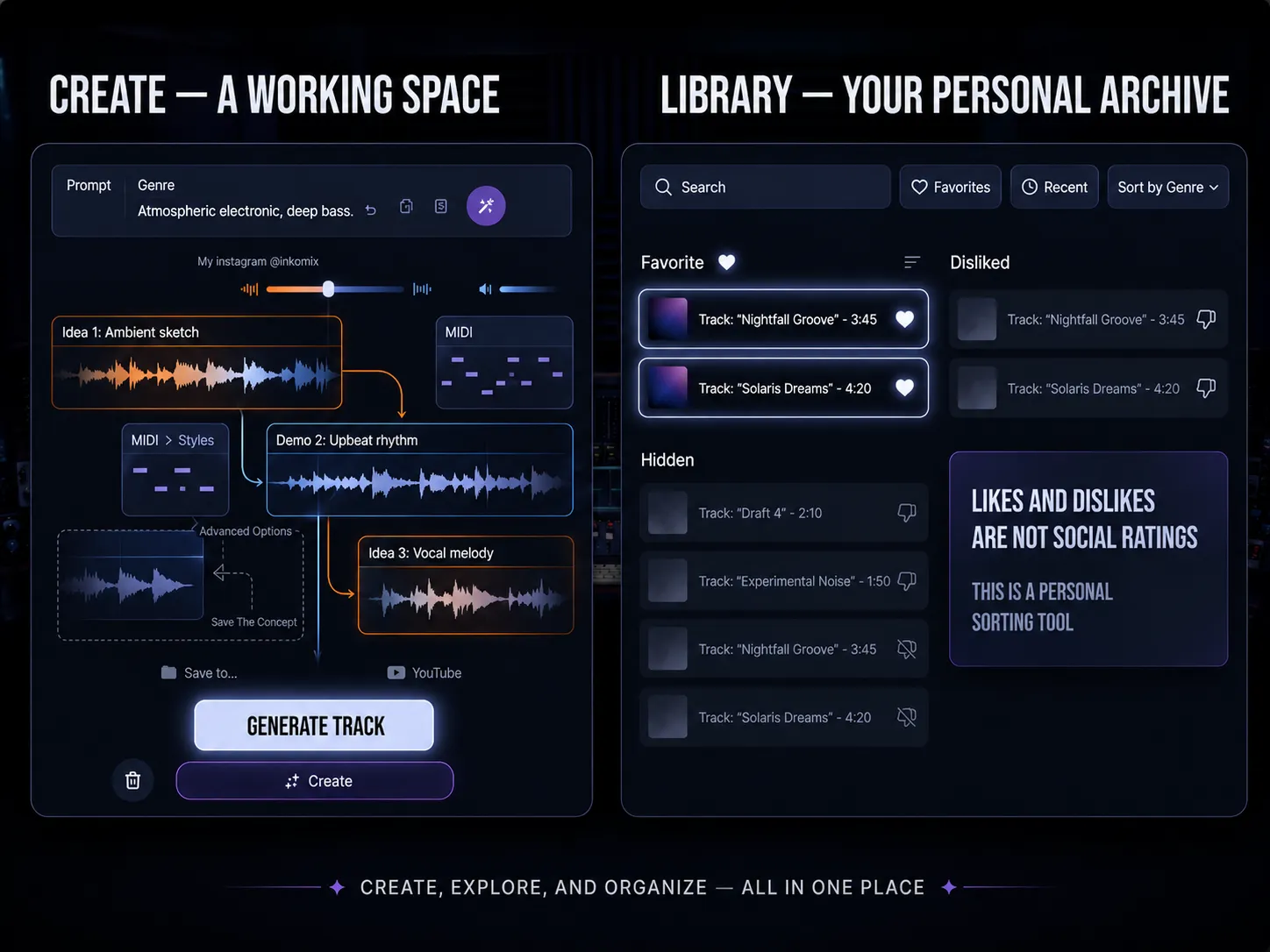
Workspace — Your Project Folder System
If you are making one type of music casually, you can skip this. But the moment you have multiple genres, client projects, YouTube channel ideas, or album concepts running simultaneously — Workspace is what keeps you sane.
Think of it less as keeping things tidy and more as keeping your brain organised. When you know where everything is and why it exists, your results become more consistent. And consistency is where quality lives. A musician who cannot find their best idea is the same as a musician who never had it.
Simple Mode vs Custom Mode — Where Almost Everyone Gets It Wrong
The moment you open Suno, you see two modes. And almost everyone immediately clicks into Custom Mode because it seems more powerful. More options, more control, more professional-looking interface.
This is a trap.
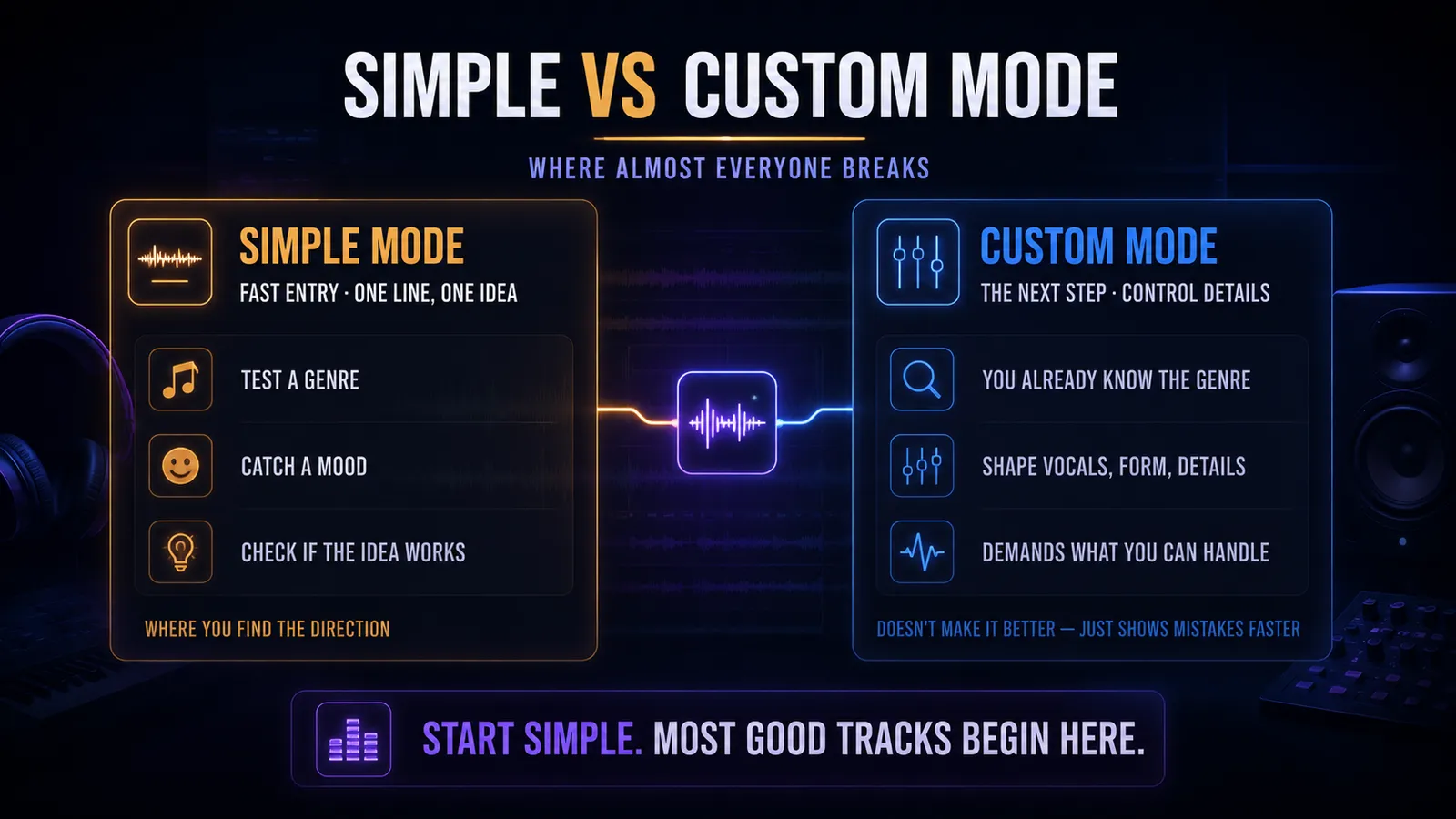
✅ Simple Mode — Use This First
The fast entry point. One idea, one line, no overthinking. It exists for exactly the moment when you do not yet know what you want. Use it to test whether a genre idea even works. To catch a mood quickly. To check if an idea has any potential before investing time in it.
Think of it like a musician noodling a melody before committing to an arrangement. You do not write the final take first.
⚙️ Custom Mode — Use This After
For when you already know your direction — genre, mood, vocal feel, rough structure — and you want to control the details. The problem is that most people skip the exploration phase and demand Custom Mode precision before they have figured out what they want.
More options means more ways to be precisely wrong.
"Custom Mode does not automatically make things better. It just makes your mistakes more expensive and more specific."
Use Simple Mode first. The exploration phase is where you figure out what you actually want. Skipping it does not save time — it just moves the confusion into a more complicated interface.
Pro Tip
Spend your first 5–10 generations in Simple Mode for every new project. Once one of them feels right — that is when you open Custom Mode. Not before.
Writing a Prompt That Suno Actually Understands
A prompt is not a description. It is an instruction.
Suno does not read between the lines. It works with exactly what you give it. If the prompt is contradictory, it improvises — and that is rarely the version you hoped for.
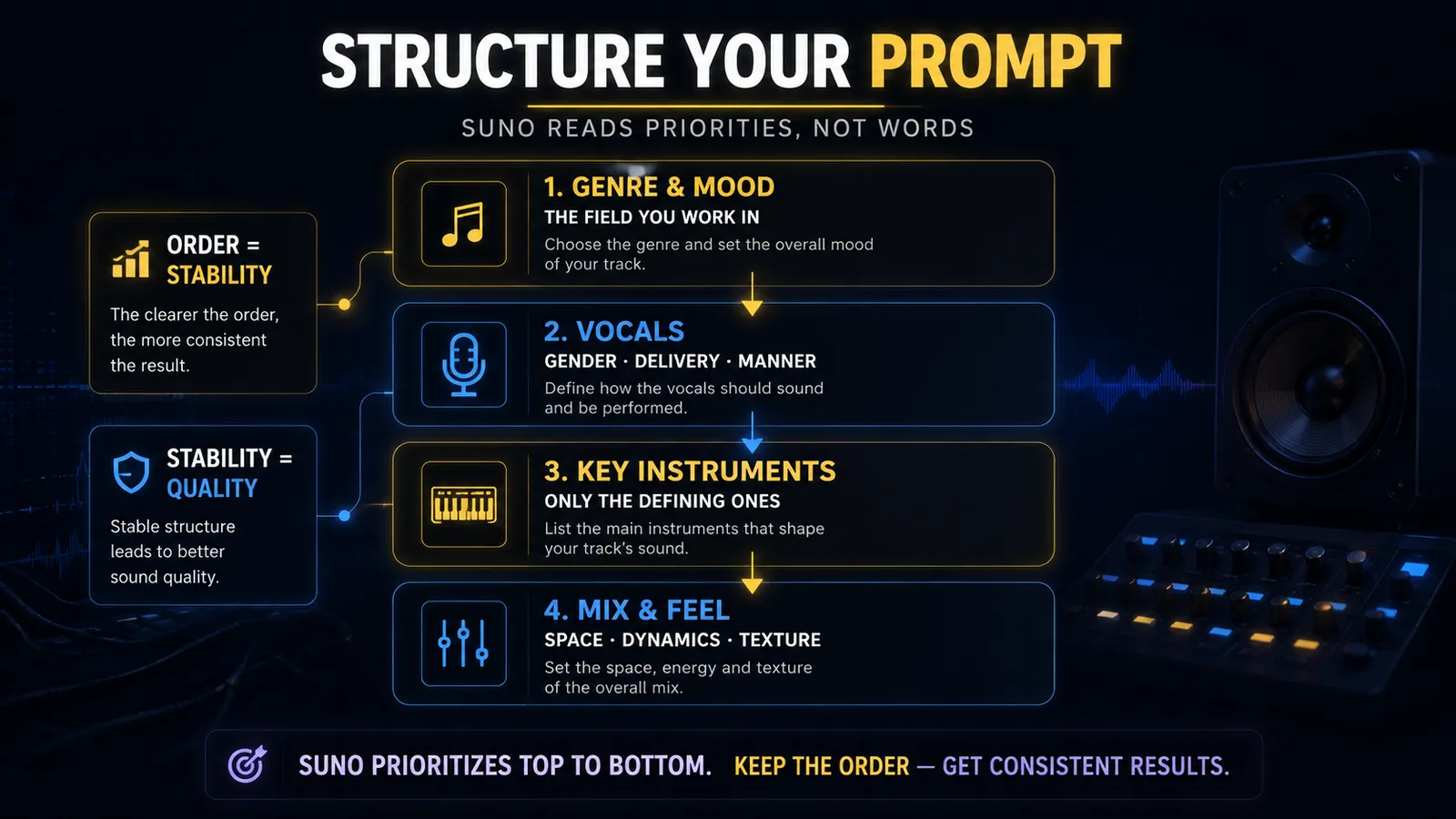
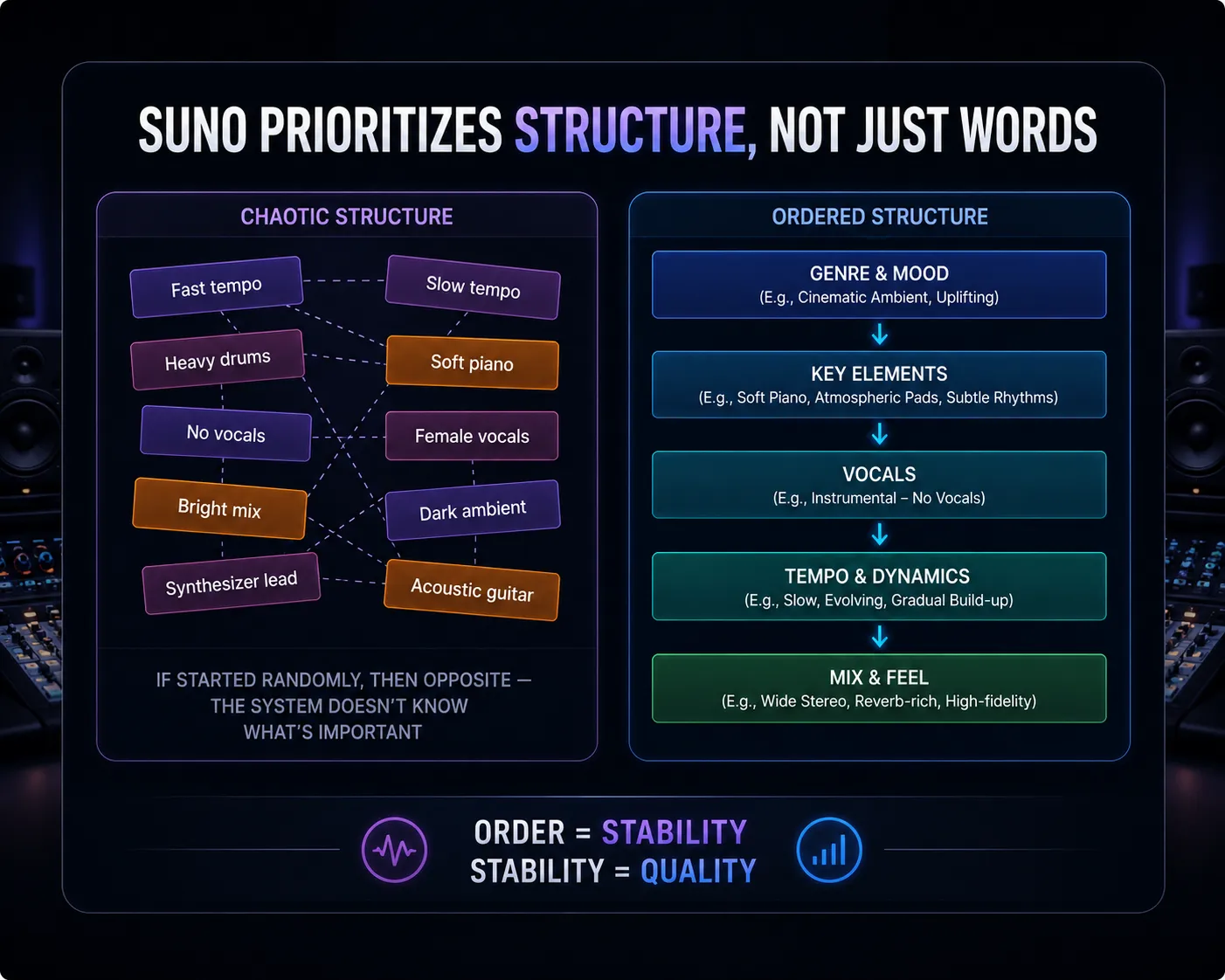
The most common mistake is what we will call the salad prompt: genre, mood, another genre, an era, an instrument, an emotion, some vibes, maybe a reference — all thrown together with no hierarchy. Suno does not know what you care about most, so it starts guessing. And when AI guesses, you get something technically impressive that sounds like nobody's music in particular.
✅ The Working Formula
You define the territory first, then the character, then the specific elements. This order matters because Suno prioritises from the top down. If you say "soft jazz" first and then "heavy drums" three lines later, the system has a conflict and resolves it however it wants — which is never how you wanted it.
Practical Examples That Actually Work
Notice what is not in these prompts: five adjectives per word, Wikipedia-style genre histories, and a list of every instrument known to humanity. Keep it clean. The simpler your source material, the easier it is to work with later.
Always describe the vocal
Even briefly. Gender, delivery style, emotional intensity. If you leave it blank, you are handing that decision to Suno — and you might get a soprano operatic performance over your doom metal track. Technically impressive. Contextually catastrophic. And yes, this has happened to everyone at least once.
July 2026: the lyrics editor got rebuilt
Suno redesigned the web lyrics workspace, and it is worth a detour. Three additions matter in practice: Lyricist (feed it a few of your own lyrics and it saves your writing voice as a reusable profile — think Persona, but for words instead of vocals), natural-language editing (highlight a line and type “make this darker” or “tighten this to a 4-count bar” — it rewrites in place), and rhyme suggestions on any highlighted word. None of this changes how the audio generates — but it moves a chunk of the rewriting work to before you spend credits, which is exactly where you want it.
Pro Tip
Don't list every instrument you want to hear. Mention only the two or three instruments that define the track's identity. The rest Suno will figure out — and it usually does it well when it has room to breathe.
Brackets Are Everything
This one rule will save you enormous frustration. Write it down. Tattoo it somewhere. Put it on your monitor.
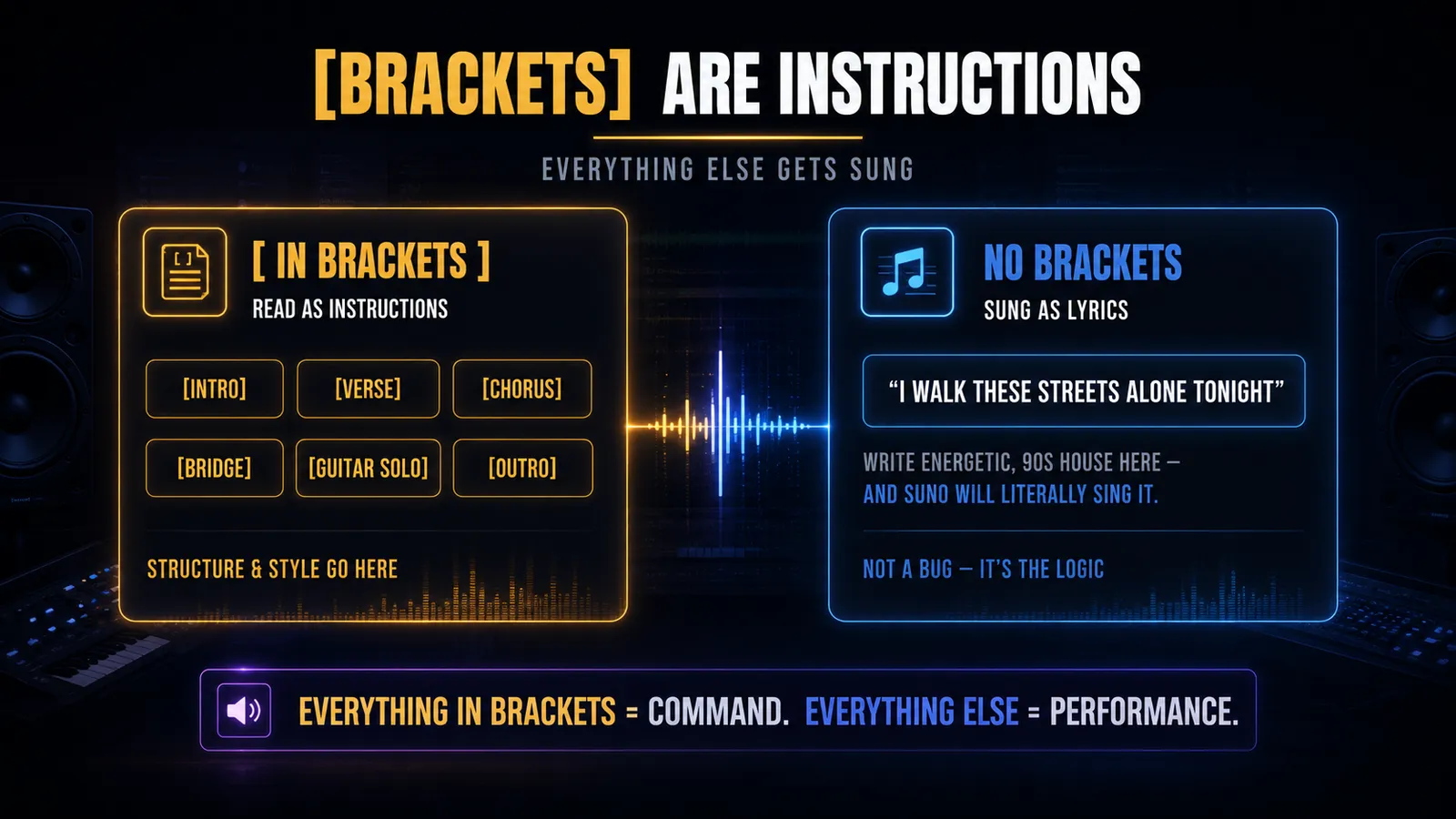
The One Rule That Saves Everything
Everything inside [square brackets] = a command to Suno.
Everything outside = lyrics to be performed out loud.
That is it. That is the whole rule.
If you write energetic guitar solo in your lyrics without brackets, Suno will cheerfully sing those words. Out loud. On your track. You will have a vocalist going "energetic guitar solooo" over your breakdown. Not what you wanted. Not a bug. That is exactly what you asked for.
Structural tags go in brackets:
You can also use stylistic production notes inside brackets anywhere in the song — [quiet, building tension], [full band entry], or [emotional, slow down]. Suno reads these as production notes, not lyrics.
Start with an instrumental intro
Give your track space to breathe before the vocal comes in. It creates anticipation, sounds more professional, and gives you clean, vocal-free material to work with when you get to the DAW.
Song Structure — Why It Matters, and What It Looks Like
If you do not give Suno a structure, it will invent one. Sometimes that works out beautifully. Often it does not — especially if you need the track to be a specific length, or if you are planning to edit it in a DAW afterward.
The underlying logic here is important: every song is built from repeating and contrasting sections. Verses build the story, choruses deliver the emotional payload, bridges shift the perspective, and instrumental sections control the energy flow. When you understand this, you stop thinking of a song as "a bunch of parts" and start thinking of it as a designed emotional experience.
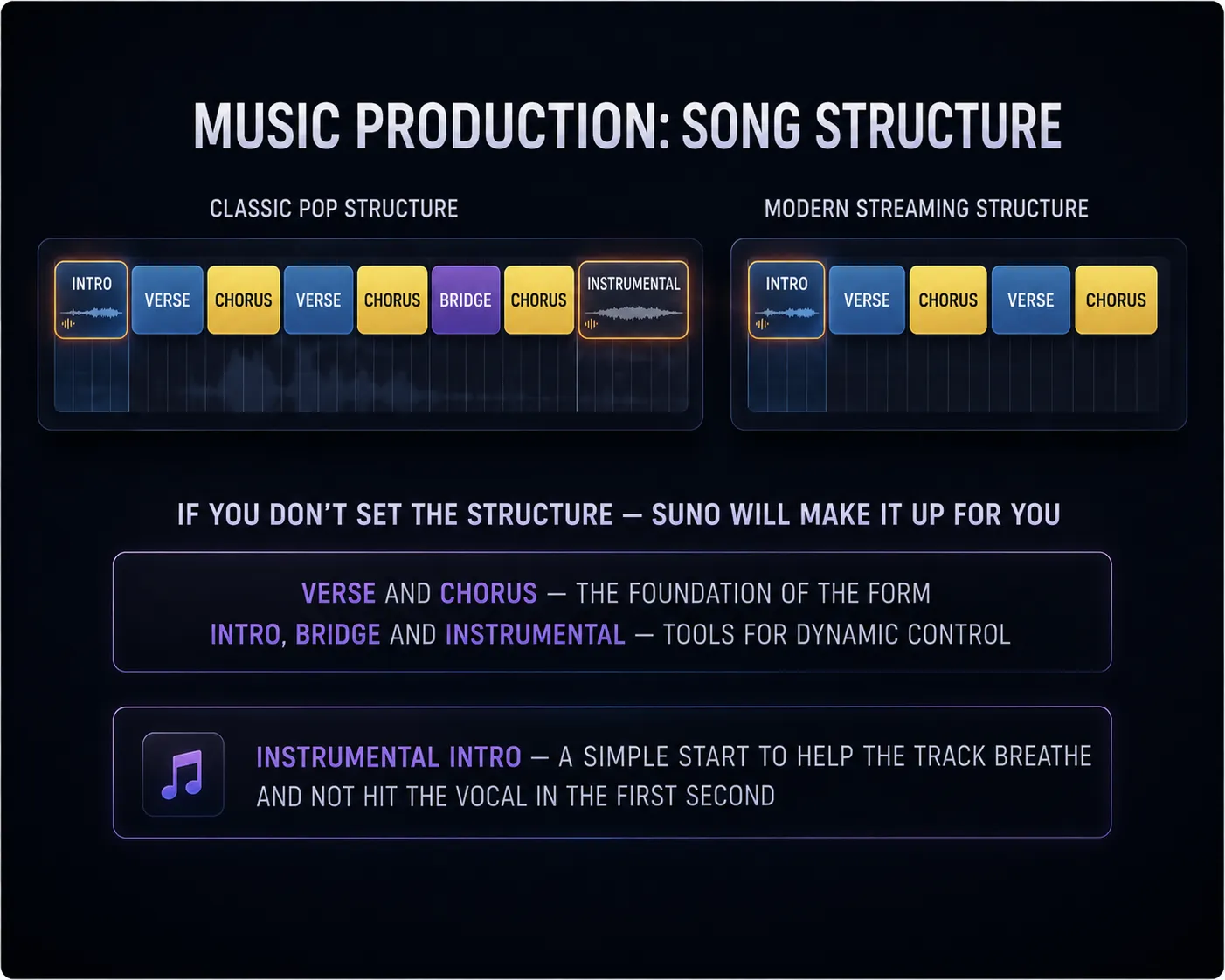
Understanding the theory is one thing — seeing it mapped to real production formats is another. Here is how these structures actually look when you translate them into Suno-ready templates:
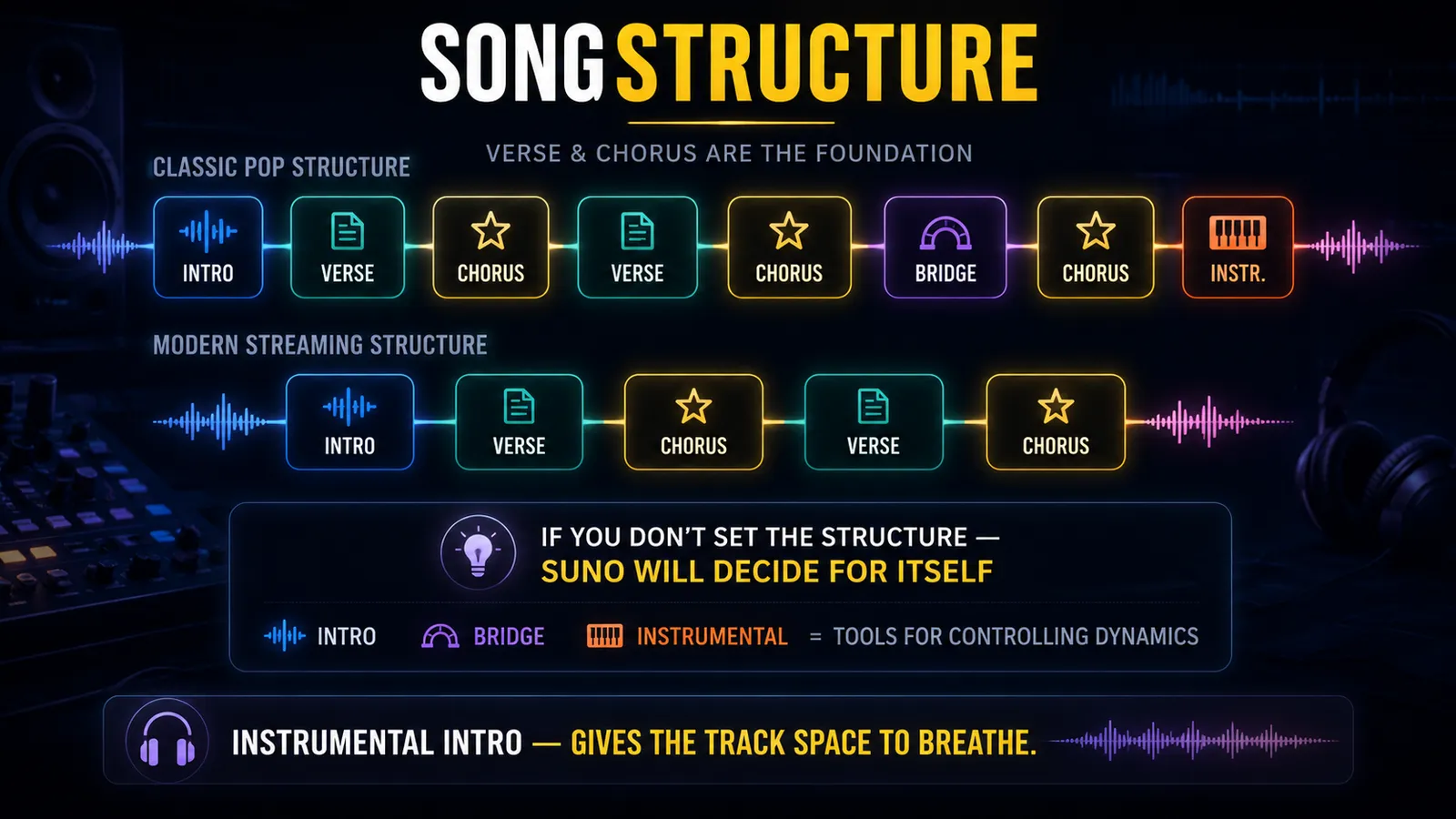
🎵 Classic Pop Structure
Intro → Verse → Chorus → Verse → Chorus → Bridge → Final Chorus → Instrumental Outro. Full development. This is the architecture of a thousand hits for a reason — it works. Every section earns its place by doing something specific to the listener's emotional journey.
📱 Modern Streaming Structure
Leaner, faster, no patience for slow builds. Get to the chorus in the first 30 seconds. Streaming data shows most people decide whether to stay within the intro — which means your intro is actually your chorus.
Pro tip worth remembering
Start with an instrumental intro. Give your track space to breathe before the vocal comes in. It creates anticipation, sounds more professional, and gives you clean material to work with in the DAW.
The Sweet Spot — Weirdness & Style Influence
Two settings that most people either ignore entirely or crank to the extreme. Both are mistakes, and both will cost you credits.
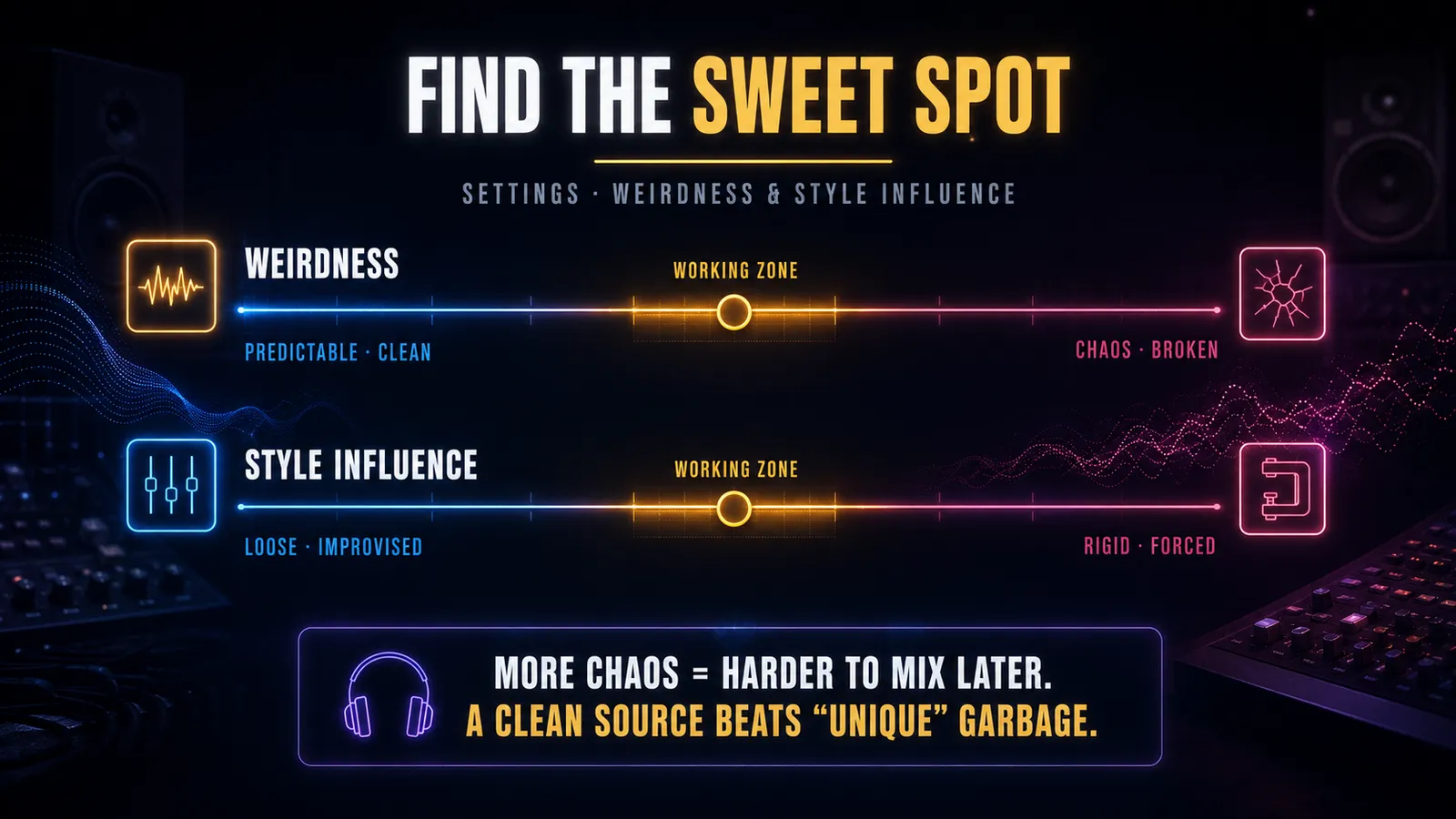
🎲 Weirdness — How Far Suno Deviates From Your Instructions
Low — predictable, clean, close to what you asked for. Good for when you have a clear direction and do not want surprises.
Middle — the working zone. A little weirdness creates interesting touches without derailing the whole track. This is where most usable results live.
Maximum — broken, chaotic, credit-burning. Occasionally produces something genuinely surprising. More often produces something genuinely unusable.
🎨 Style Influence — How Strictly Suno Follows Your Defined Style
Too low — style drifts away mid-track. The beginning sounds like what you asked for; the second half sounds like something else entirely.
Too high — stiff and mechanical. The result technically matches your description but feels lifeless.
Middle ground — give the tool room to interpret while keeping it on the right track.
The underlying principle: the more chaos you introduce at the generation stage, the harder it is to work with the output later. Generate clean, get creative in the DAW.
Pro Tip
High Weirdness usually creates more editing work later — not more creativity. Save the experimentation for after you have a solid, mixable base track. The DAW is where you add character; Suno is where you establish direction.
Stop Pressing Generate Like It Owes You Something
Here is the habit that kills progress fastest:
🚫 The Loop That Goes Nowhere
Generate → do not like it → close → generate again → repeat until frustrated → conclude that Suno is bad → open it again tomorrow anyway
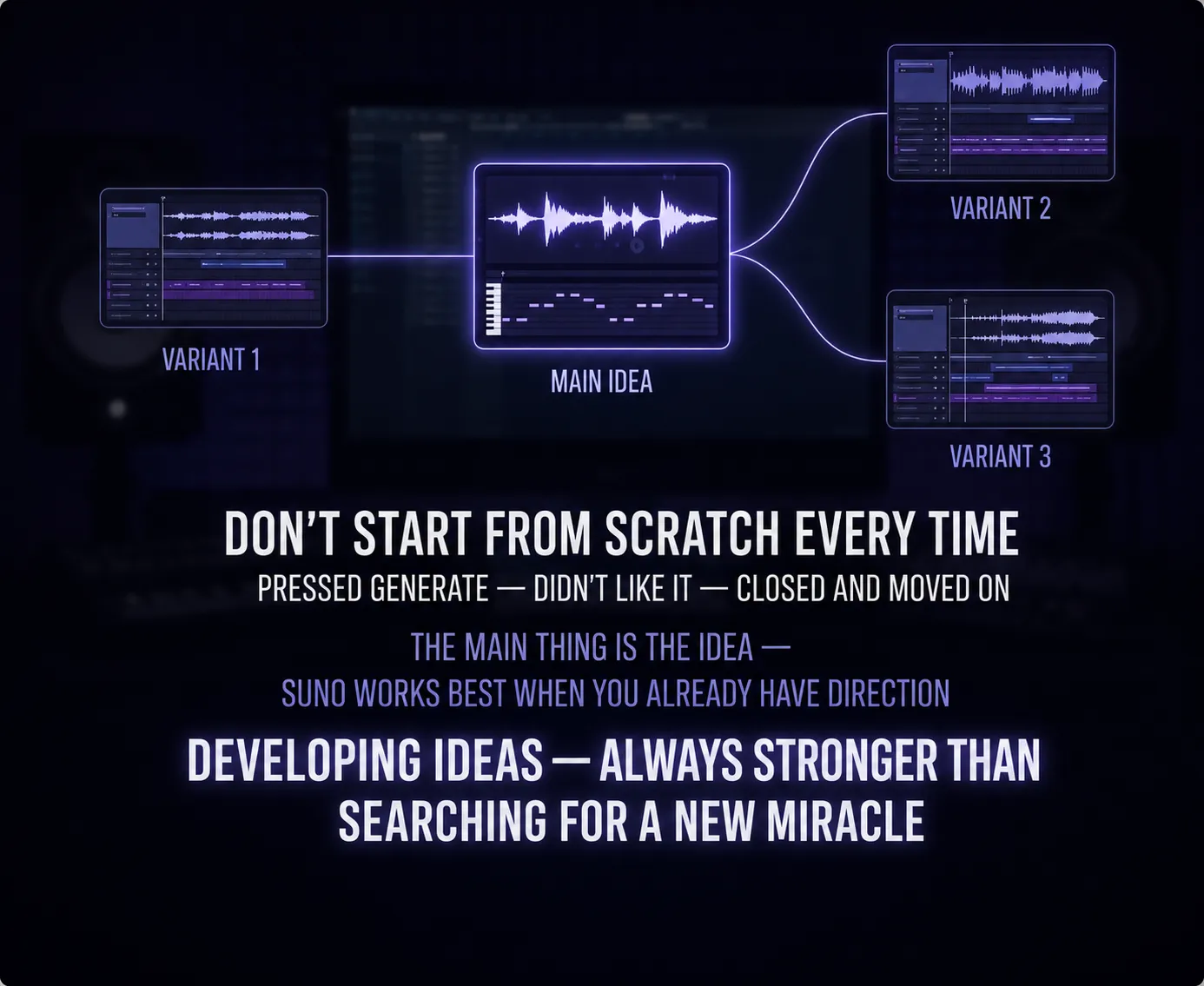
Every time you throw away a generated track and start fresh, you are also throwing away the idea that shaped it. And sometimes that idea was good — the execution just was not there yet.
This is one of the most important mindset shifts when working with generative AI: you are not searching for the perfect output. You are developing material. The first generation is a draft. The second is a refinement. The third might be the one.
Suno works best when you develop what you have found rather than constantly searching for something new. The goal is refinement, not lottery.
Extend, Cover, Upload — Your Development Toolkit
Three tools. Learn them, use them constantly. These are the features that separate casual Suno users from people who actually finish tracks.
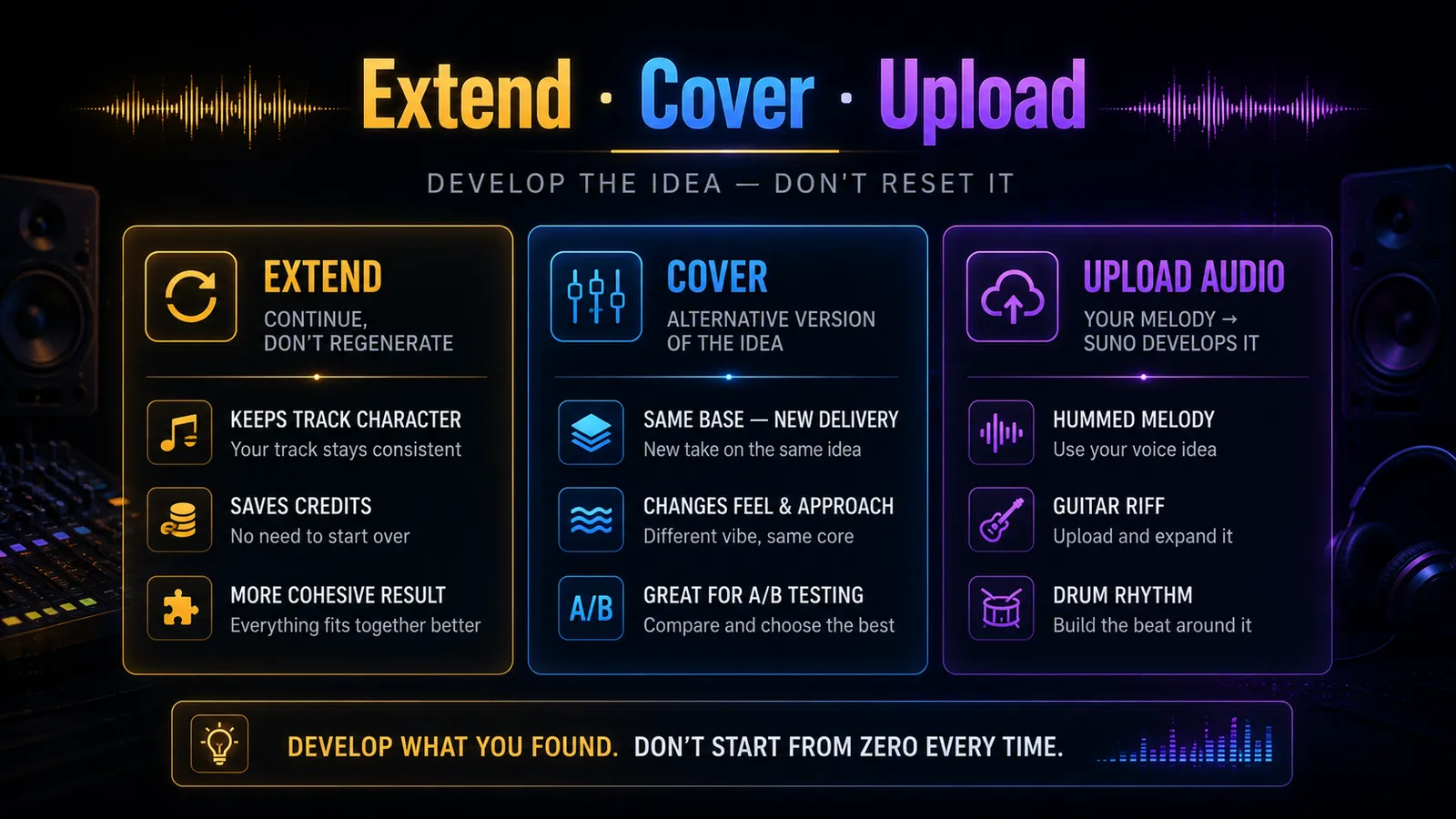
Extend — Continue What Is Working
Extend continues an existing track while preserving its character. It is not a new generation — it is a continuation. The sound stays consistent, the vibe carries through, and you get longer, more cohesive material to work with. Every time you would generate a new track from scratch because the existing one is too short, use Extend instead.
Cover — A/B Test Your Track
Cover creates an alternative version of the same idea — different delivery, different feel, same underlying DNA. Think of it as giving the same script to a different actor and seeing what happens. Use it when you like the structure but something about the execution is not quite right.
Upload Audio — Where It Gets Genuinely Powerful
You can upload your own hummed melody, guitar riff, or rhythm pattern — and Suno will develop it. This is the mode where AI stops being a generator and becomes a collaborator. Your melodic instinct, Suno's production capability. The combination is where genuinely original music comes from.
Personas — Locking In Your Sound
Once you have found a sound you like — a particular character, a specific feel that works for your project — you can save it as a Persona.
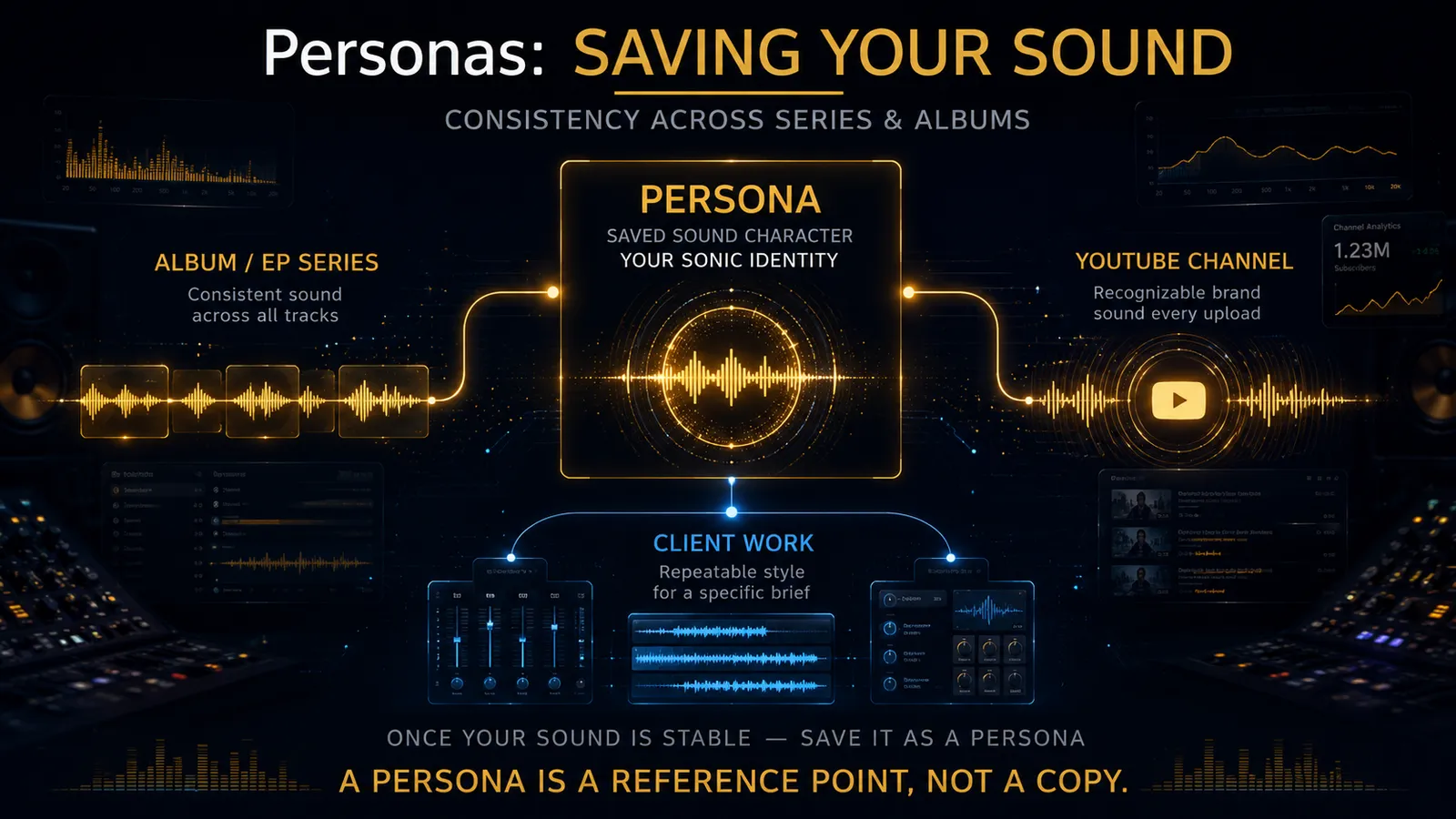
A Persona is not a copy. It is a reference point — a saved sonic identity you can return to across multiple tracks without rebuilding the same foundation every time.
In practice, that means album consistency becomes easier: same vocal character, same palette, same energy, but without starting every session from zero.
Personas are especially useful for album projects, YouTube channels, and client work — anywhere you need your music to have a recognizable, coherent sound across multiple pieces.
Suno Is a Demo Machine. A Very Good One
Let us be completely honest about something.
No matter how good your Suno track sounds in the player, it is still a demo. A good demo — sometimes a great demo — but a demo. The final result, the one people actually listen to and remember, is born in post-production.
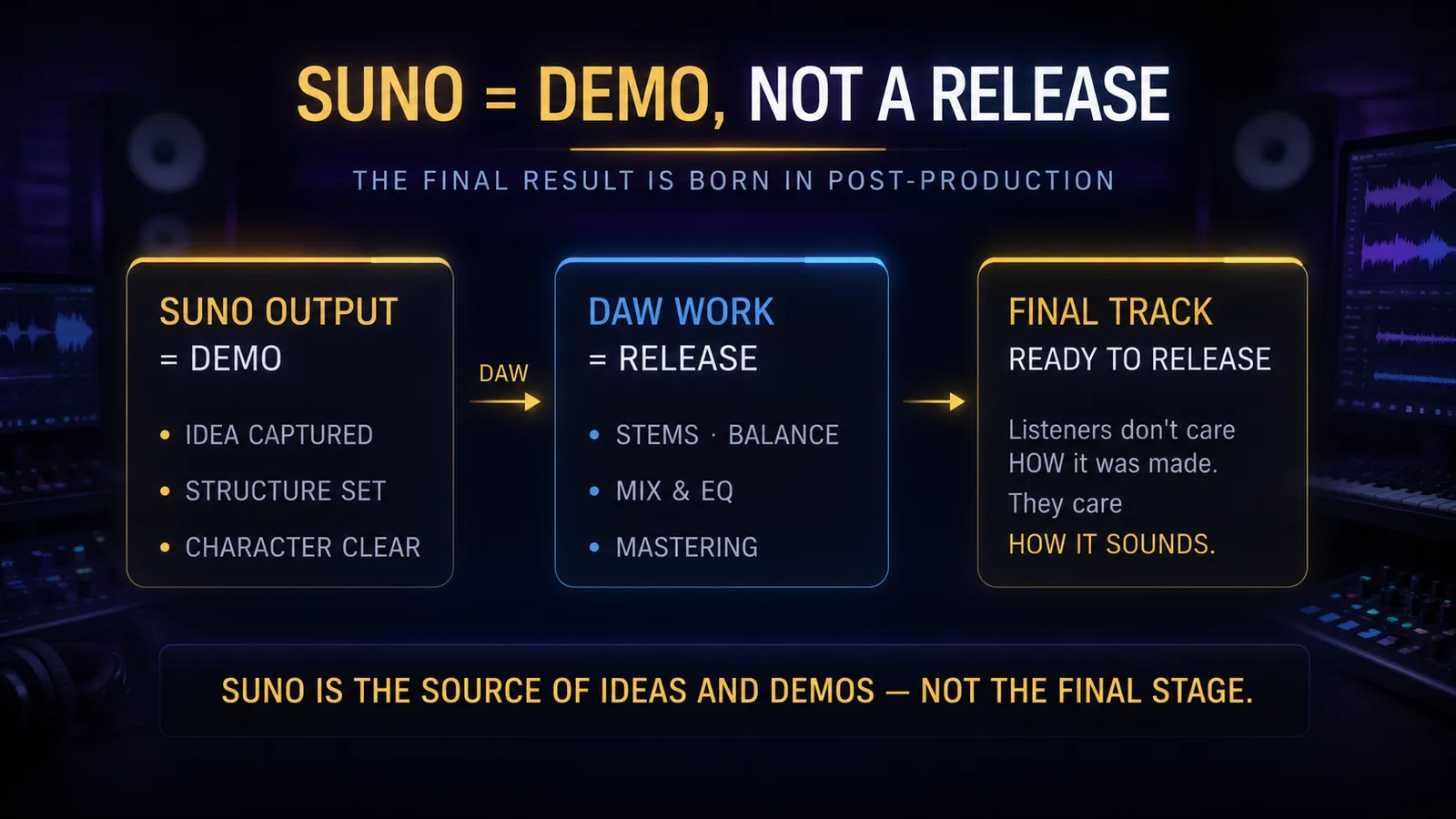
🎵 Suno gives you
- → The idea and direction
- → The structure and arrangement
- → The character and vocal style
- → The emotional arc of the track
🎚️ Your DAW gives you
- → The mix balance and separation
- → Spatial depth and dimension
- → Vocal treatment and clarity
- → The final competitive master
Listeners do not care how a track was made. They only care how it sounds. A Suno-generated track with professional mixing and mastering sounds better than a traditionally recorded track that was never properly mixed. The tools do not matter. The result does.
Suno is a spectacular starting point. It is not the finish line. The next step after Suno is stems, balance, vocal treatment, arrangement detail — all the things that separate a demo from something that actually hits the way you intended.
Stems are where that work starts, and pulling them out of a finished song is its own craft: building a cleaner instrumental with Advanced Split covers the separation modes and how the parts go back together.
What's New in v5.5 — Voice, Style & Taste
Suno v5.5 released March 26, 2026. This is not an audio engine update — it is a philosophy shift. Previous versions competed on sound quality. v5.5 competes on identity. Three new features: Voices, Custom Models, My Taste.
🎤 Voices — Your Voice in Your Tracks
The single most requested feature in Suno's history. You can now upload a recording of your own voice — and Suno will generate tracks using it. Not a random AI vocalist. You.
For singers, this means demoing new songs without setting up a mic session — just hum an idea into Suno and hear yourself in a full production. For non-singers, it is a chance to hear your own voice in music for the first time, which is a genuinely surprising experience.
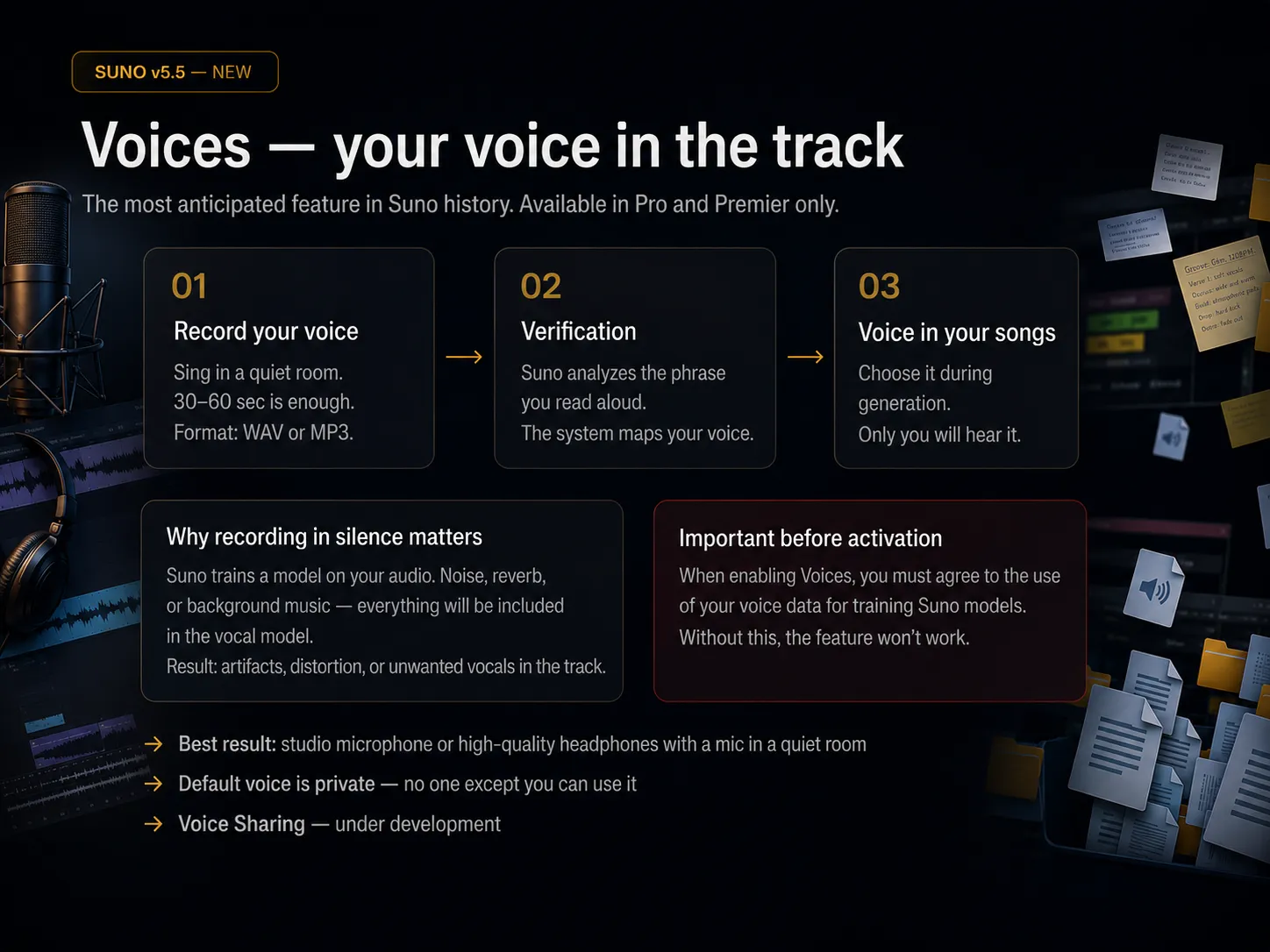
How to activate:
Record your voice
Upload audio of yourself singing or speaking. WAV or MP3. 30–60 seconds of clean material is enough to build a solid voice model.
Verification
Suno gives you a random phrase to read aloud. You record it and the system compares it against your uploaded audio to confirm it is actually your voice.
Voice appears in your panel
Once verified, your voice shows up in your account. Select it when generating instead of a random AI vocalist. Only you can see and use it.
🎙️ Why recording quality matters more than you think
Suno trains the voice model on whatever audio you give it. If your recording has air conditioning hum, room reverb, background music, or street noise — all of that gets baked into the model. The result: when the model generates your voice in a track, it carries those artifacts with it. The vocal sounds muddy, unstable, or artificially processed in ways you cannot fix after the fact.
This is not a post-processing problem — it is a training data problem. No algorithm can remove noise that is already part of the model. The only fix is a clean source recording.
Optimal conditions: a quiet room, a decent microphone or quality headset, close mic placement. Recording early in the morning or late at night when street noise is minimal is not overthinking it — it actually makes a difference. One good voice recording made once is an investment. A noisy recording is a limitation you carry into every track you make with it.
Read this before activating
Activating Voices requires checking a consent box that grants Suno permission to use your voice data to train their models broadly — not just your private instance. This is not optional. Without it, the feature does not activate. Decide consciously. Pro and Premier accounts only.
Your voice is private by default — only your account can use it to generate songs. Voice sharing is listed as a future feature but is not live yet.
🎛️ Custom Models — Suno Trained on Your Music
Upload your own tracks made outside Suno and the model learns your style. After training, it generates music that sounds more like you — your genre preferences, your characteristic instrument choices, your sonic aesthetic — rather than a generic AI average.
The logic is similar to DAW presets and templates, except instead of saving plugin settings you are curating a training set. The model picks up surface-level characteristics — timbre, genre markers, instrumental texture — reliably. Deeper compositional tendencies like arrangement restraint, timing, and dynamic contrast are harder to encode. The more distinctive your style, the more interesting the result.
Availability
Up to 3 custom models per account. Pro and Premier only.
Best use case
YouTube channel, album project, client work — anywhere you need a consistent, recognizable sound across multiple tracks.
✨ My Taste — Suno That Learns You
Free for all users. Suno tracks what you generate, which genres and moods you choose, what you like and what you skip — and gradually builds a preference profile. When you hit the magic wand during generation, My Taste applies that accumulated context and nudges results toward what you typically enjoy, without any explicit instructions in the prompt.
It works better the more consistently you use Suno — and the more honest you are in your Library filtering. Like blues rock and dislike pop → My Taste notices. Like everything indiscriminately → the system cannot figure out what you actually want and helps less. Filter your Library honestly. It feeds directly into this.
My Taste is the easiest way to start getting more personalised results from Suno immediately — no setup, no uploads, no subscription tier required. It just needs time and consistent use to build up.
Pro Tip
v5.5 is an additive update. Everything that worked in v5 still works. Voices, Custom Models, and My Taste are layers on top of the same engine. Start with My Taste right now — it is free and starts working immediately. Come back to Voices and Custom Models once you have a quality voice recording and a musical catalog worth training on.
Field Notes from the Community
Everything above comes from my own sessions. But I also spend a lot of time in r/SunoAI and the long-running forum threads — partly to steal good ideas, partly to check whether my habits still hold up as the model changes. Here are the community findings I have verified myself and now use. Consider this the “things people learn the hard way” section.
The [End] tag is not optional
The single highest-ROI tag you can add. Without [End] on its own line at the bottom of your lyrics, Suno loves to keep generating past the natural finish — fading out mid-verse or rambling instrumentally until the hard cutoff. One well-known community breakdown of “why did Suno ignore my tags?” posts put this fix at number one, and my own hit rate agrees: since I started closing every song with [Outro] followed by [End], awkward endings dropped to almost zero.
The Exclude Styles paradox
The most common complaint thread in the whole subreddit: you write “no piano” and Suno decides piano is the love of your life. Negation is genuinely weak in these models — naming a thing, even to ban it, still puts it on the table. What works better: describe what you DO want densely enough that there is no room left for the unwanted element, and keep the Exclude field for broad genre words rather than sentences. Excluding specific instruments works occasionally; excluding a mood almost never does.
Keep the style prompt under ~100 words — and give it a BPM
Two findings that keep being rediscovered independently. Style prompts past roughly a hundred words start diluting themselves — the model averages everything and you get generic soup. And a concrete tempo (“75 BPM”, “138 BPM”) does more for usability than three adjectives: generic prompts produce random tempos, and a wrong tempo kills a track faster than a wrong instrument. Short, specific, numbered — then A/B test one variable at a time.
Persona users: 25–30% audio influence, familiar instrumentation
The consistent-voice-across-an-album problem has a semi-reliable recipe from people who shipped full albums: keep Audio Influence around 25–30% (higher and the persona drags its old melody into the new song), write the style description strong enough to override the persona’s ‘memory’, and — the least obvious one — keep some of the instrumentation from the track the persona was created on. The voice was learned in that context, and it stays recognisably itself when the context stays familiar.
A v5.5 reality check
The community is genuinely split on v5.5 — pronunciation clearly improved, but a loud camp reports flatter, less organic output and, more importantly, changed behaviour of personas created on older models. My advice from watching those threads: before rendering anything long-form on v5.5, regenerate one old track and compare. New model versions silently affect old personas, and finding that out on track nine of an album is the expensive way. The most sensible pattern I keep seeing (and now use myself): a hybrid workflow — draft and explore on v5.5, then re-generate or cover the keeper on v5, which still sounds more organic for most genres. Use models for their strengths instead of waiting for one to be perfect.
Pro Tip
Treat community lifehacks the way you treat plugin presets: a starting point, not gospel. Every Suno version quietly rebalances what works — the [End] tag survived four model versions, the JSON-formatting tricks did not. Verify on your own material before building a workflow around anything, including this article.
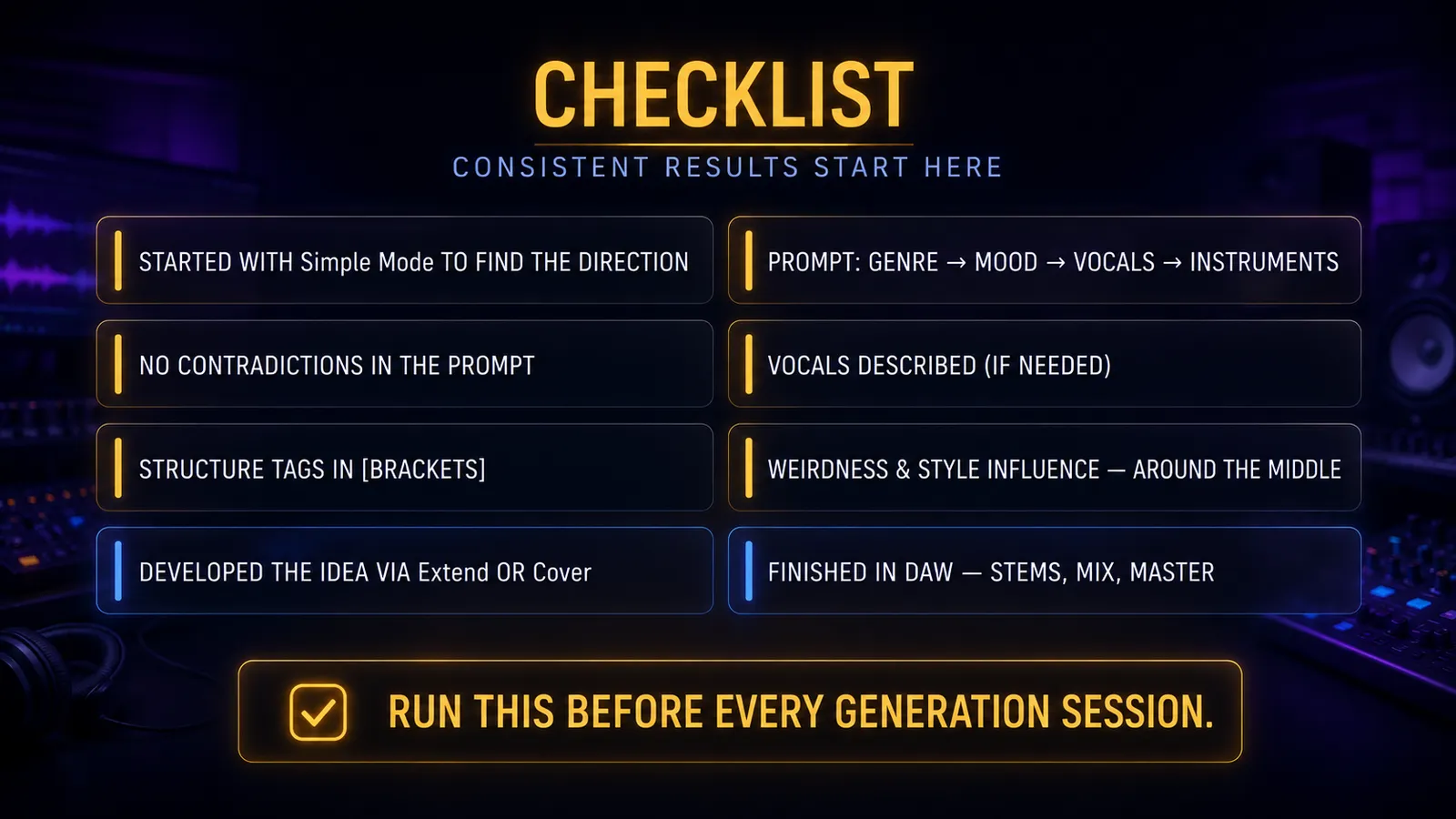
The Pre-Generation Checklist
Before you hit Generate, run through this. Every time. It takes thirty seconds and saves you from generating tracks you will immediately discard.
FAQ: Instrumental Tracks & No Vocals
The questions people ask most often about keeping Suno purely instrumental — answered with the same logic covered above: Custom Mode, the style prompt, and the bracket rule.
How do I force Suno to make an instrumental track — no vocals at all?
Use all three levers at once: switch on the Instrumental toggle in Custom Mode, add the word “instrumental” to your style description (for example: “jazz rock fusion, smooth and sophisticated, instrumental”), and leave the lyrics field empty. If you want to control the arrangement, fill the lyrics field only with bracketed structure tags like [Intro], [Instrumental], [Guitar Solo], [Outro] — brackets are commands, not lyrics.
Why does Suno still add vocals when my prompt says “instrumental”?
Almost always because there is text outside square brackets. Suno treats anything outside brackets as lyrics to be performed out loud — even the words “no vocals”. Remove all unbracketed text from the lyrics field, keep “instrumental” in the style description, and the vocals disappear.
How do I make longer instrumental tracks in Suno?
Generate a strong base first, then use Extend to grow the track section by section instead of hoping for one long generation. Inside the lyrics field, chain instrumental structure tags — [Intro], [Instrumental], [Guitar Solo], [Outro] — so every extended section stays vocal-free.
How do I get spoken word or narration instead of singing?
Describe the vocal delivery explicitly in the style prompt — “spoken word, narration, no singing”. If you leave the vocal undescribed, Suno decides for you. Reinforce it with bracketed production notes like [spoken word] placed before the lines you want narrated.
Final Thought
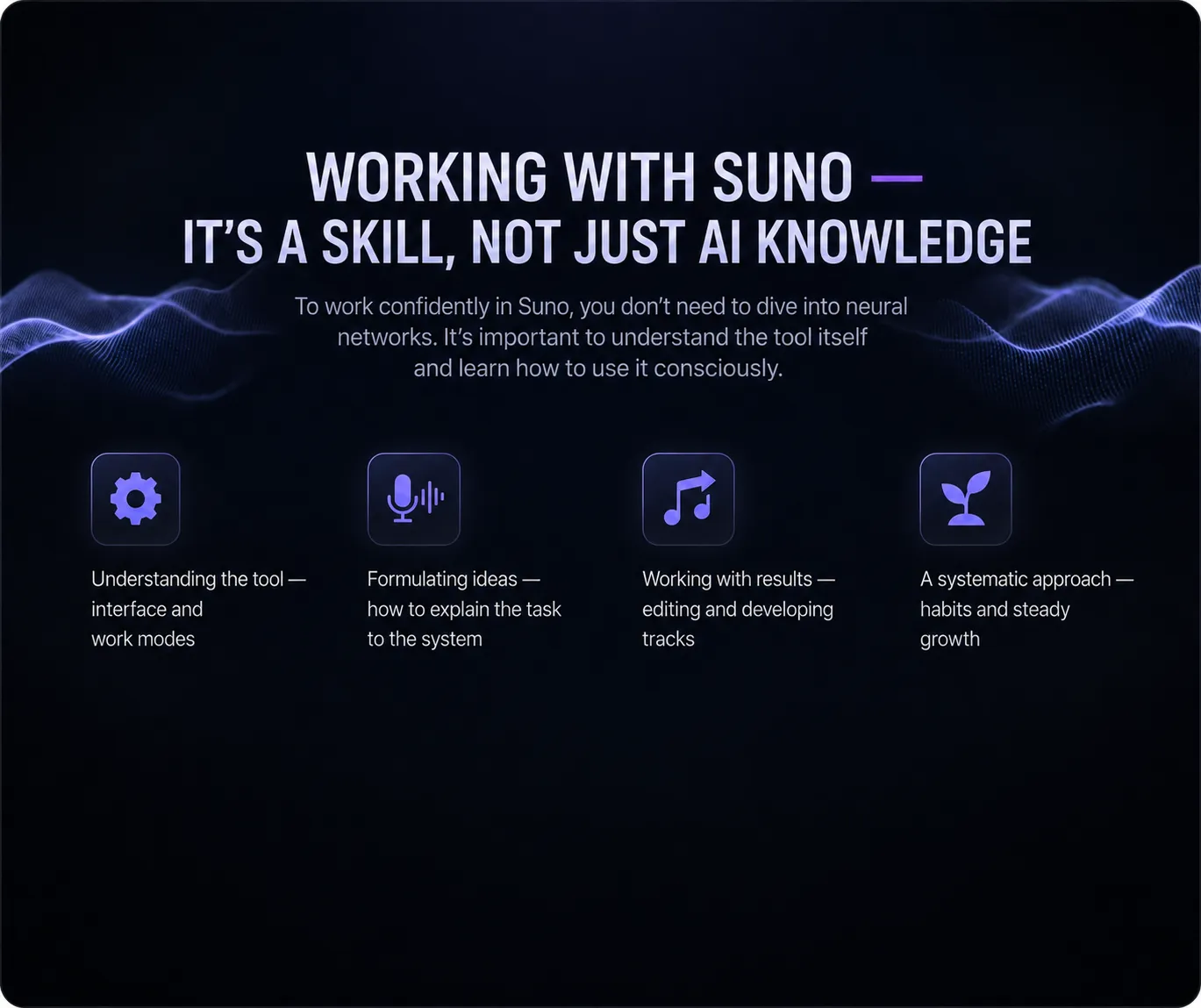
Working with Suno is a skill. Not a prompt hack, not a secret formula — a skill. The kind that develops through regular practice, honest listening, and a willingness to understand the tool rather than fight with it.
The musicians who get the most out of Suno are not the ones who found the magic prompt. They are the ones who understood the logic, built a workflow, and kept showing up. They treat it like a collaborator rather than a vending machine.
Suno accelerates your learning curve. It does not replace the work. The work is still yours — and that is a good thing. Because the work is also where the music actually lives.
Now go make something.
Not sure what your track needs?
Send it and hear a free 60-second preview — an honest assessment and an exact price, no commitment.
Get a Free Preview →Made a track in Suno? I'll finish it to release quality — from $39.
Want your track to sound like this?
Send it in and get a free preview — hear the difference on your own song before you pay anything.
Get a free preview →